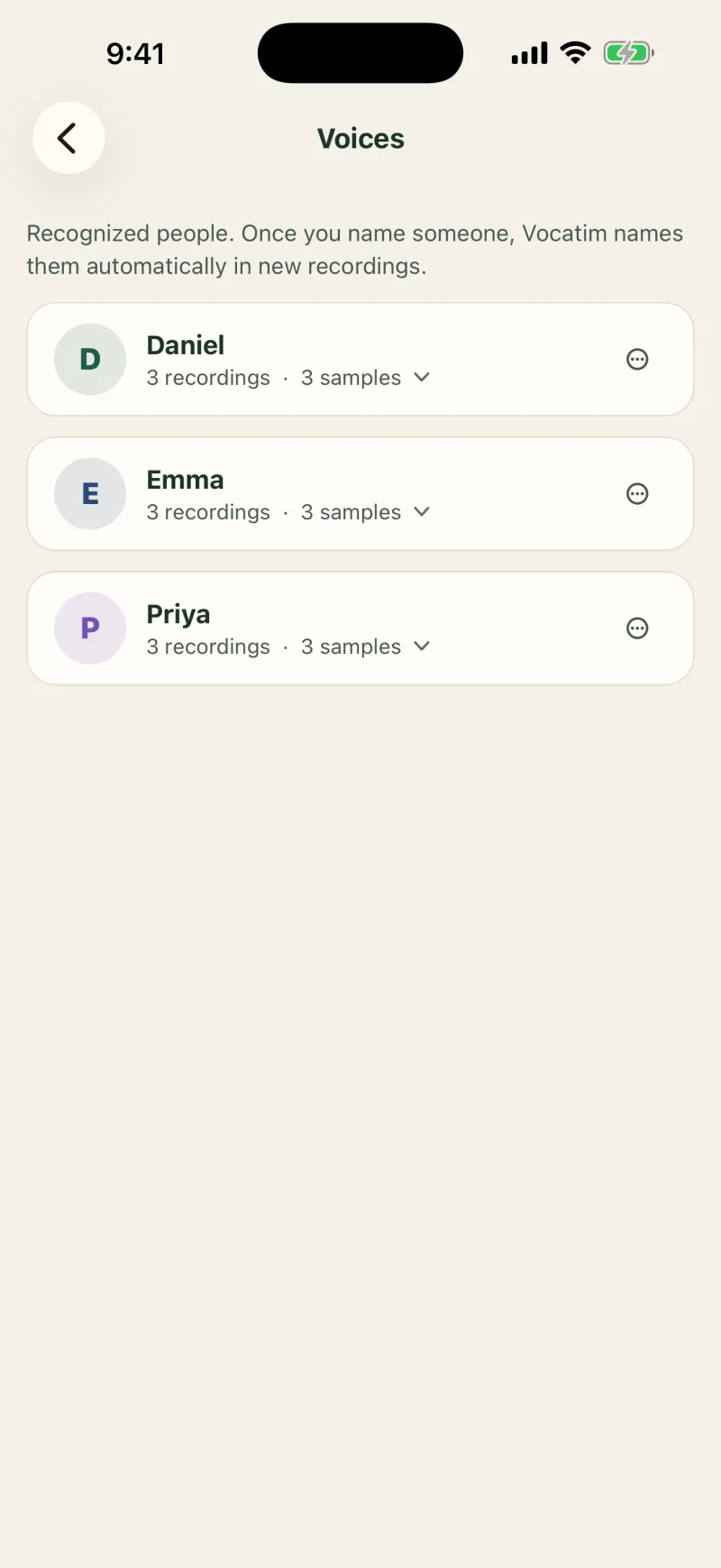
Priya recognized automatically · by her voiceby her voice, from earlier recordings
The meeting ends.The decisions stay.
One meeting in Vocatim, from the first word to the last question.Watch the film, 0:26
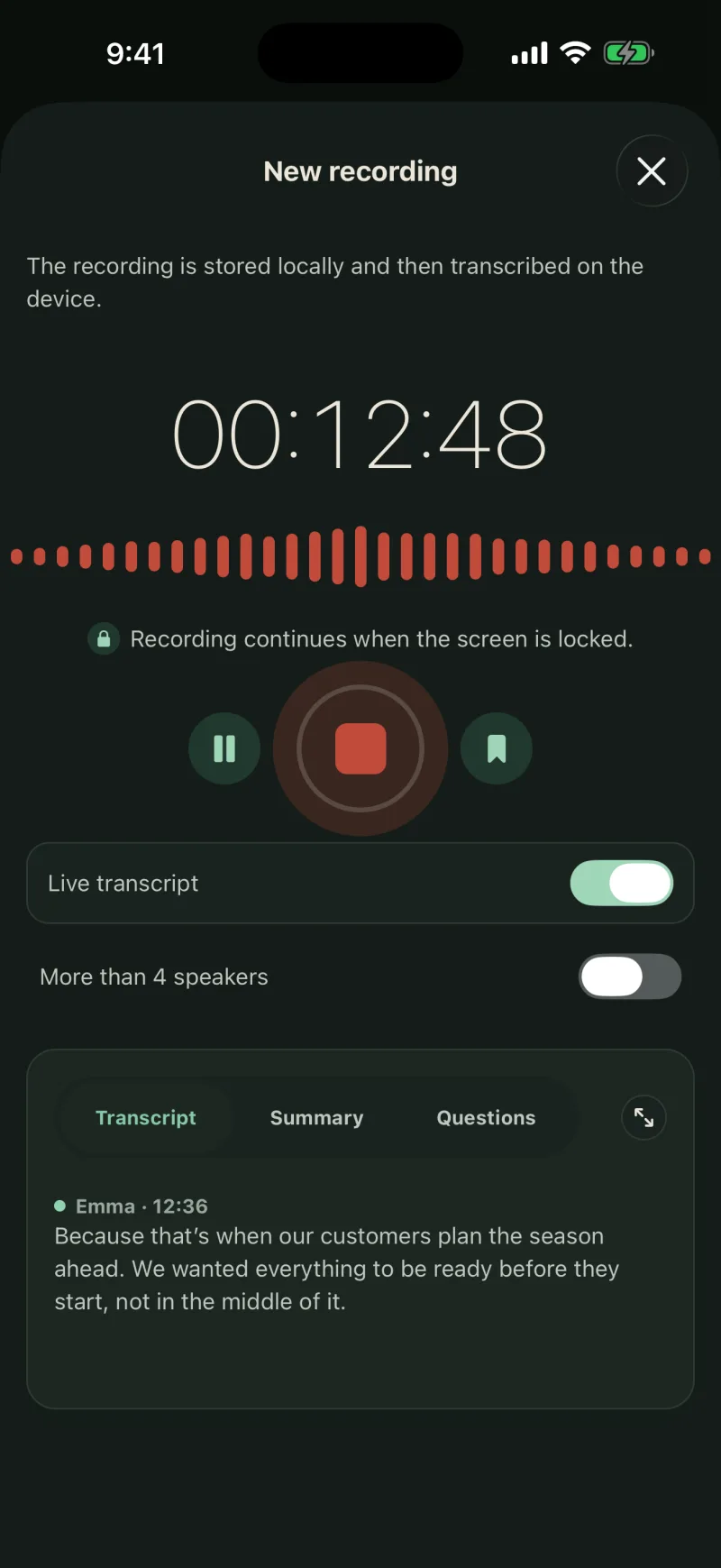
0112:48 · still recording, and the text is already there
One tap, or a file you already have
Record with the microphone, pick an audio file, or share a memo straight from Voice Memos. While you record, the text appears line by line, and a live note picks out decisions, tasks, and figures on its own.
Vocatim writes down the conversation, separates the speakers, and labels each one by name. Name a person once, and future recordings recognize them on their own. Rename or merge voices at any time.
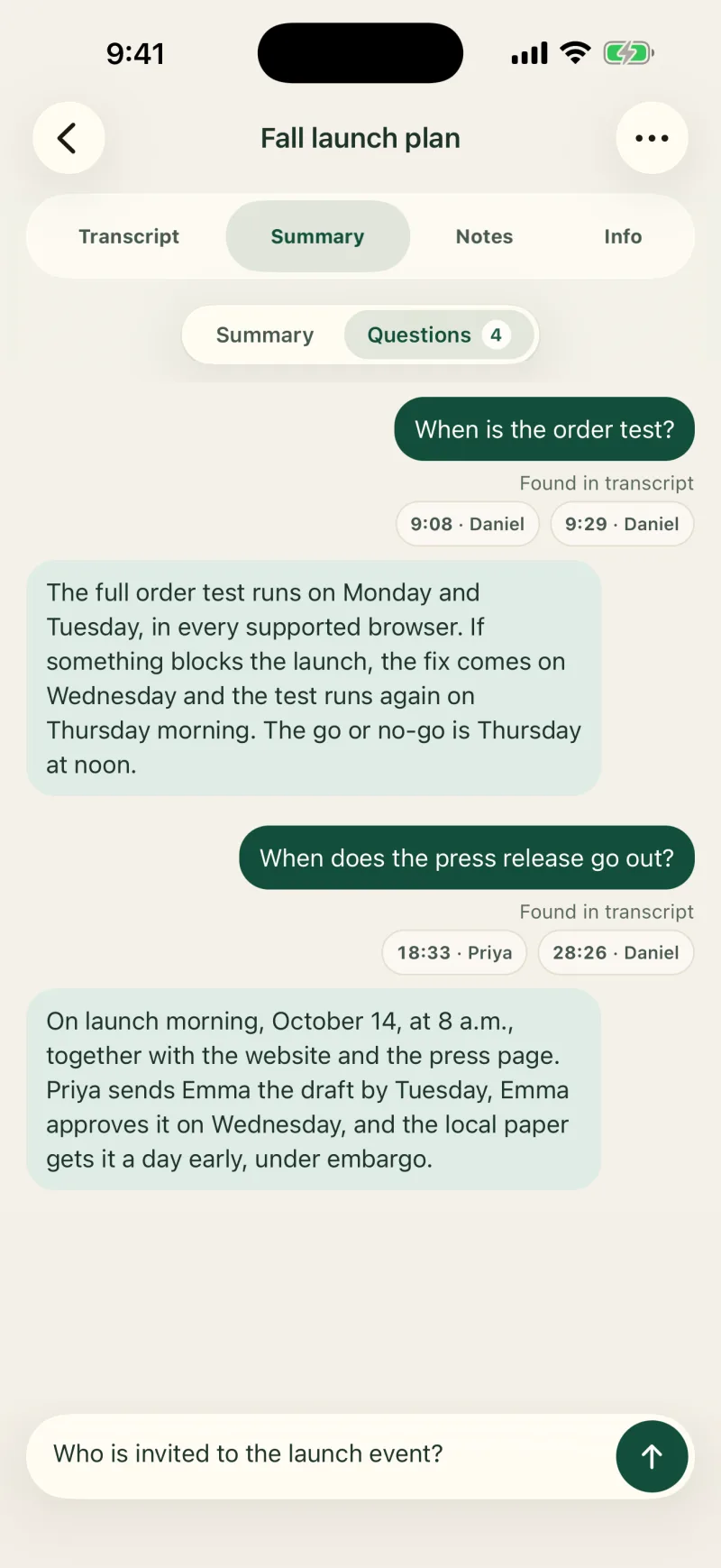
039:08 · Daniel, the source of the answer
Ask the recording what you agreed on
A local AI model writes the summary, decisions, and tasks. Ask a question, and Vocatim answers and points to the parts of the conversation it took the answer from. Looking for a word? Search every recording at once.
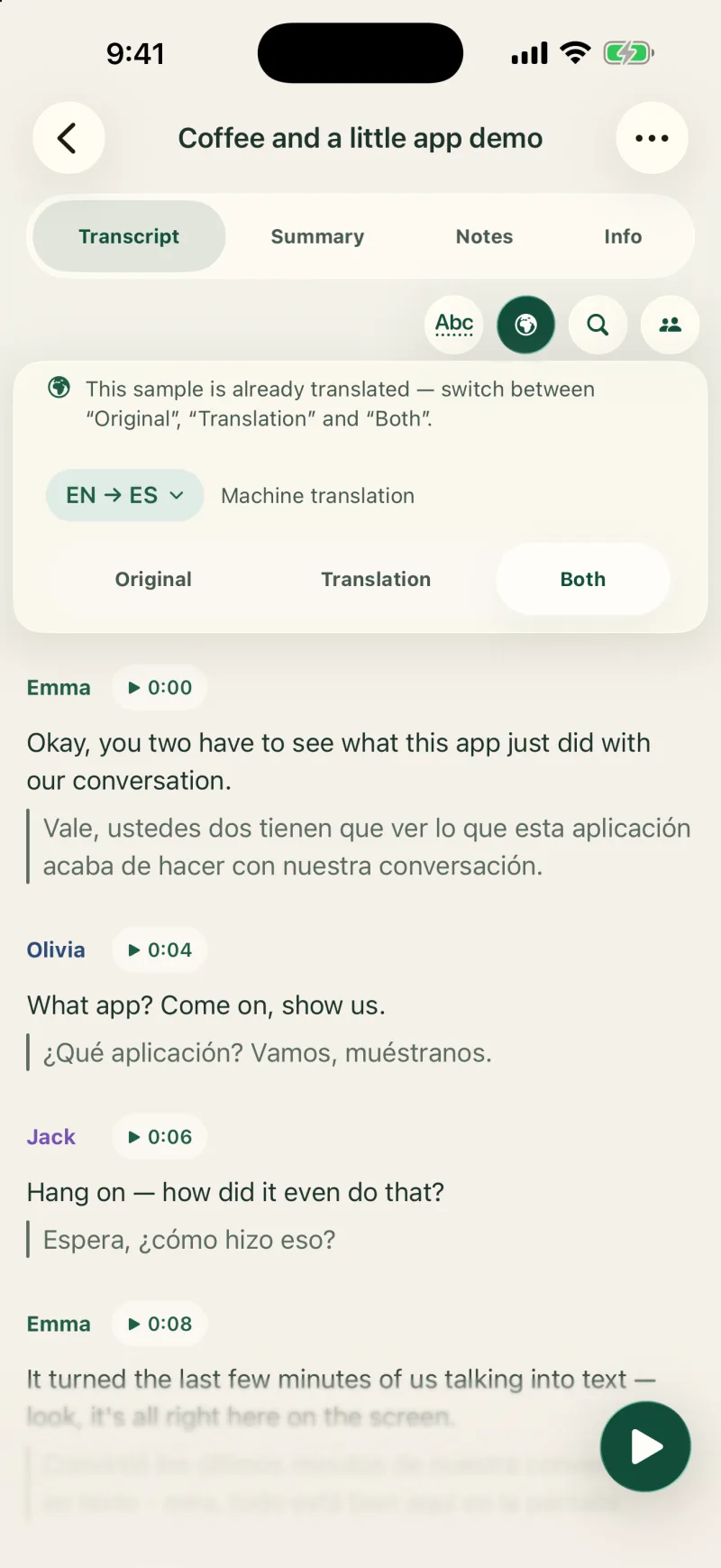
Vocatim translates a recording right on your iPhone, iPad or Mac, with Apple’s on-device translation. No text is sent anywhere.
Original, translation or both
Summary and files in your language
Captions while you record
You can choose from the languages Apple’s on-device translation offers, except Swedish, Danish and Norwegian. Translations are machine translations; the original is always one tap away. Questions about translation
With Vocatim on both devices, your phone can hand a recording to your Mac, which transcribes it with bigger, more accurate models and sends the transcript straight back. The hand-off happens over your own Wi‑Fi or your own iCloud — never through anyone’s server.
Transcribing a received recording…
Press interview · about 2 min left
Your Wi‑Fi or your iCloudthe recording there, the transcript back
recordingYour Wi‑Fi or your iCloudtranscript
Same iCloud on both
Install Vocatim on your iPhone and your Mac with the same iCloud account. They find each other automatically — no setup, no codes.
Send a recording
Tap “Transcribe on the computer” or make it the default. On the same network, the recording travels directly and encrypted.
Get the transcript back
The Mac separates the speakers, and the finished transcript lands back on your phone with a notification.
In an online meeting?
On the Mac, Vocatim mixes the audio from other apps with your microphone into one recording. No bot in the meeting.
New in 1.7.1
Two people, two languages.One screen between you.
Lay your iPhone or iPad between you and talk. Each of you reads what the other says, in your own language, as the conversation goes on.
Your half faces you
The screen lies between you. The other person’s half is turned toward them, so each of you reads your own side the right way up.
Your language, both ways
What the other person says appears in your language. What you say stays as you said it, in your language too.
One color for each of you
Your sentences are blue and the other person’s are rust, on both halves of the screen and in both languages. On each half the other person’s sentences are also set in from the edge, so the sides stay apart even when the two colors look alike in the app’s dark mode.
Kept only if you say so
Nothing is saved unless you choose Keep at the end. A kept conversation joins your list: ask questions, get a summary, export and edit it. A kept conversation keeps what it showed: each sentence as it was said, with the translation that was on screen. It is not transcribed again, and its sides come from the language, not from voice recognition.
Everything runs on the device itself. Nothing is ever uploaded. The free version includes 20 minutes of conversation in all, with a counter on screen and a way to buy. It works between eight languages: English, Polish, Dutch, German, French, Spanish, Italian and Portuguese, and needs iOS or iPadOS 26.4 or later. Translations are machine translations.
Other person · French
Bonjour, que puis-je faire pour vous ?
J’ai besoin de quelque chose contre la toux.
C’est une toux sèche ou grasse ?
Sèche. Elle a commencé lundi.
Good morning, how can I help?
I need something for a cough.
Is it a dry cough or a wet one?
Dry. It started on Monday.
You · English
Seen from above: the phone lies between an English and a French speaker. The far half is turned toward the French reader; each side reads the conversation in its own language.
Privacy
Your conversationsstay yours.
Audio, transcripts, summaries, notes, and voice profiles never reach us or any transcription service. Optional sync uses your own iCloud, which only you can read.
“I don’t have a server with your recordings, and I don’t want one. That’s why you buy Vocatim once, not every month.”
LKLesław Kubosz, creator of Vocatim
App Store review
Can’t imagine working without it
I’ve been using Vocatim for work and it has made a huge difference in my daily routine. I often have meetings and conversations where I need to remember important details, and this app helps me so much with that.
Because everything runs on your device with no cloud, Vocatim downloads the speech and AI models once. After that it works fully offline. You can pick a smaller, faster package or the full one with summaries and chat.
Which devices does Vocatim run on?
On iPhone and iPad with iOS or iPadOS 17 or later, and on a Mac with an Apple M1 chip or later and macOS 14 or later. Recording audio from other apps on the Mac needs macOS 15.2 or later and does not capture FaceTime calls or calls handed over from your iPhone. Translation (from version 1.7) needs iOS, iPadOS or macOS 26.4 or later. Vocatim is not available on Android.
Which languages does Vocatim understand?
Interface and speech transcription in Polish, English, Dutch, German, French, Spanish, Italian, Portuguese, Japanese, Korean, Swedish, Traditional Chinese, Turkish, Norwegian, Danish, Czech, Slovak, Ukrainian, Romanian, Croatian, Bulgarian, Finnish, Hungarian and Estonian. With a Whisper model and automatic language detection, speech transcription works in about 100 languages.
Does translation work offline?
Yes, once a language is on your device. The first time you use a language, the system downloads it, which needs an internet connection. After that, Vocatim translates without one.
Can I ask a question while the meeting is still on?
Yes. Type a question during the meeting: Vocatim marks the passages that answer it and, with the summary model on your device, writes the answer. Question and answer stay with the recording.
How do I restore my purchase on another device?
Open the unlock screen and tap “Restore purchases”. Purchases are tied to your Apple ID and restore on any device signed in with it.
Emma0:00Okay, let’s lock in the plan for the fall launch.


 Priya recognized automatically